


WESH 2 News - Orlando
4.7571.00 Reviews
App Specs
- Version
- Varies with Device
- Updated On
- License
- Free
- Downloads
- 100,000+
- Developer
- HTVMA Solutions, Inc.
- Categories
- News & Magazines
- Platform
- Android
Screenshots
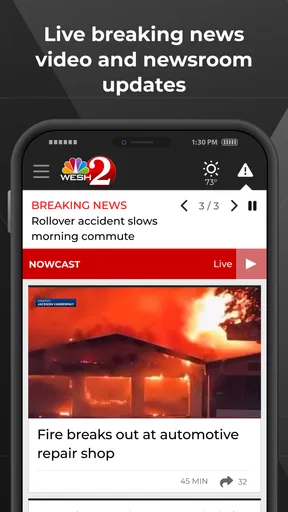
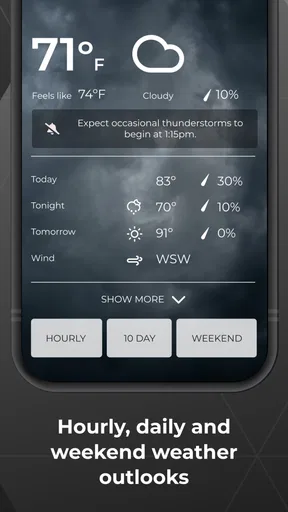
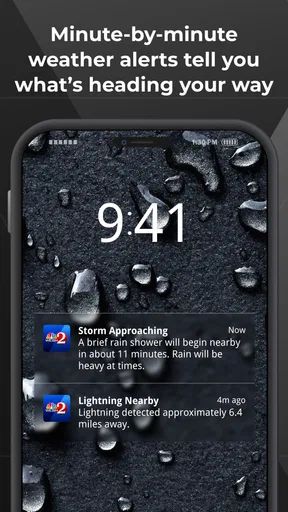
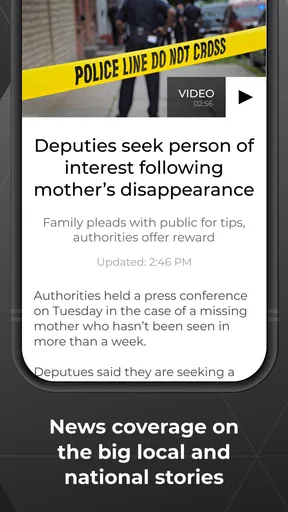
 Analysis by AppCompare
When I want local news rather than a broad national feed, I look for an app that gets me to Orlando coverage quickly and does not make every update feel like a search project. WESH 2 News is built for that specific habit. It brings together local reporting, breaking-news updates, live newscasts, and weather information in one free news and magazine app from HTVMA Solutions, Inc. After using it as a focused local-news companion, I found its biggest value is not novelty; it is reducing the number of places I need to check when something is happening nearby.
The app has earned a 4.7 average from around 2.6 thousand ratings, and that feels consistent with its clear purpose. It is not trying to replace every source of information on a phone. Instead, it works best when Orlando is the place I care about, especially during changing weather, traffic-disrupting events, or a developing local story. The experience is suitable for Everyone, and the free price makes it easy to try without committing to a subscription.
Getting past the first points of friction
The first difficulty with a local news app is usually not understanding the content. It is getting the app into a useful state without rushing through the opening screens. I recommend taking a moment to check the location and notification choices rather than accepting everything automatically. A local weather and breaking-news app is only helpful if its regional focus matches where you actually live, work, or travel.
That matters particularly for people who move around Central Florida. Someone who spends the week in Orlando but regularly travels elsewhere may see local information that is useful at one moment and less relevant at another. I treat the app as a regional tool, not as a universal news reader. If your main interest is national politics, international reporting, business analysis, or a wide range of specialist magazines, a larger general-news app will probably suit you better.
Another common sticking point is expecting every screen to behave like a social feed. WESH 2 News is more useful when I approach it as a set of local information channels: current stories for what is happening now, live coverage when an event deserves more immediate attention, and weather information for planning the next few hours. That mindset makes the navigation feel more purposeful and prevents me from judging it by the standards of an entirely different kind of app.
My first practical tip is to decide what job the app has on your phone. If the job is “tell me what is affecting Orlando today,” keep it readily available and check it at natural moments. If the job is “show me every important story from everywhere,” it should be paired with another source rather than expected to do everything alone.
Setup checks that save time later
After installation, I would check three simple things before relying on the app during a busy morning. First, make sure the device has a stable connection while the initial content loads. Second, confirm that the app is allowed to refresh in the ordinary way your phone permits. Third, open both the news area and the weather area once, so you know where to go when you are in a hurry. These are basic checks, but they prevent a first-use problem from being mistaken for a permanent app failure.
Worth Reading Before You Choose

EA SPORTS FC Mobile 26 Is a Bigger Football Game, but It Takes Time

Flipboard Shows What News Apps Must Do Beyond the Feed

Switching to Android Auto Means Rethinking Your Driving Routine

Google Calendar Makes a Crowded Week Easier to Manage

Ludo King Makes the Most of the Minutes Between Plans

Baby Panda World Brings Quick Play to Modern Phones, but Its Game Library Feels Busy
The developer is HTVMA Solutions, Inc., and the app has been available since May 15, 2012. That long presence suggests a product designed around an established local-news workflow rather than a short-lived experiment. Still, age alone does not guarantee that every phone will display it identically. Android and iOS can handle background activity, alerts, and media playback differently, so I would judge the experience on the specific device and system version being used rather than assuming a friend’s result will be identical.
It is also worth checking whether the phone is in a mode that restricts notifications, background activity, or sound. Battery-saving settings, quiet hours, and weak mobile reception can all make a news app appear inactive. If a live newscast does not begin immediately, I first test another story or screen and confirm that ordinary internet activity works. This quick comparison tells me whether I am dealing with a content-loading issue, a device setting, or a temporary connection problem.
For weather use, I prefer to open the relevant local information deliberately instead of treating a notification as a complete forecast. A short alert can tell me that conditions are changing, but planning a commute or outdoor activity requires reading the fuller update. This is one of the app’s practical strengths: local news and weather sit close enough together to support a decision, while still serving different purposes.
A useful daily workflow for Orlando coverage
My preferred routine starts with a quick check in the morning. I look for the main local developments first, then move to weather before deciding how much time to spend with the app. If the weather is ordinary and there are no major local developments, I close it and get on with the day. That is a better use of a focused news app than leaving it open continuously and scrolling without a clear reason.
During the day, I return when I need context rather than simply opening it out of habit. A developing local story often makes more sense when I read the latest update and then look for related coverage from the same local source. The advantage is continuity: I am not assembling Orlando information from unrelated headlines that may use different terminology or emphasize different details.
When a live newscast is available, I use it differently from written articles. Live coverage is useful when I want the broad situation and continuing updates, while written reporting is more convenient when I need to scan quietly, revisit a detail, or avoid using audio in a public place. Switching between those formats is one of the reasons I find this more useful than relying only on a television schedule or a general headline aggregator.
A realistic example is a morning when I am deciding whether to leave early for work during unsettled weather. I can check the local forecast, read current Orlando coverage for disruptions, and watch live reporting if a significant event is unfolding. I still verify the conditions around my own route and use common sense, but the app gives me a practical starting point without requiring several separate searches.
For family members who are not especially interested in technology, the focused regional identity is also helpful. I would recommend it to someone who wants local updates but does not want to build a complicated collection of feeds. The app’s value comes from narrowing the information field, not from overwhelming the user with every possible topic.
Recovering when a story, alert, or video does not behave properly
When content seems stuck, I use a simple recovery order. I first wait briefly and try a different section, then check the connection by opening another online service. If the rest of the phone is connected normally, I close and reopen the app. After that, I restart the device if the problem affects more than one screen. These steps are deliberately ordinary, but they distinguish a temporary loading problem from a broader phone or network issue.
If written stories load while a live newscast does not, I do not immediately assume the whole app is broken. Video and live media can be more sensitive to connection quality, temporary demand, audio settings, or the phone’s ability to maintain playback. I test another piece of content, check whether the device is muted, and try again on a stronger connection. If ordinary articles also fail, I move back to the connection and app restart checks instead of repeatedly tapping the same control.
Notifications deserve a separate approach. If I am not receiving alerts, I check the phone’s notification settings, quiet modes, and any battery controls that limit background activity. I also confirm that I actually want alerts enabled; too many interruptions can make a local-news app feel annoying rather than useful. I prefer a selective setup that lets important regional developments reach me while leaving routine reading for the times I choose.
The key recovery lesson is to change one thing at a time. If I reinstall, change system settings, switch networks, and restart the phone all at once, I learn nothing about the cause. A short sequence of controlled checks is more useful and avoids creating new setup work.
When the phone, network, or situation is the real problem
Local news is especially dependent on timing, so an app can seem disappointing when the underlying issue is outside its control. A weak signal may delay a video. A crowded network may make pages appear slow. A phone with very little available storage or a heavily restricted background mode may behave inconsistently. In those cases, changing news apps may not solve the actual problem.
The same applies to breaking coverage. A developing story can change quickly, and the first version of an article may be shorter than a later update. I do not treat a brief initial report as evidence that the app lacks depth. I refresh later, look for additional coverage, and remember that a local-news app is reporting an event as it develops rather than presenting a finished historical account.
There is also a difference between a content preference and a technical fault. If I can read Orlando stories but wish there were more national coverage, the app is functioning; it simply has a narrower editorial purpose than I want. In that situation, I would add a general news source rather than blame WESH 2 News for staying local. Conversely, if the app repeatedly fails to load while other online services work normally, restarting and checking for an available app update are sensible next steps.
Privacy and attention are practical considerations too. I do not enable every alert simply because the option exists. A person who wants uninterrupted concentration may prefer to open the app manually, while someone monitoring severe weather or a fast-moving local event may value timely notifications. The right setup depends on how much interruption the user is willing to accept.
How it compares with broader news alternatives
Compared with a national news aggregator, this app feels more focused and less dependent on search terms. A general aggregator is better when I want many viewpoints, international headlines, or a single place for unrelated subjects. Its trade-off is that Orlando-specific information can be buried among stories that have no immediate local value. WESH 2 News reverses that priority.
Compared with checking a mobile browser, the app offers a more direct routine. I do not need to remember which page contains local reporting, where to find weather, or how to locate live coverage. A browser remains the better choice when I want to compare several publishers, search an older article, or investigate a topic beyond the app’s local focus.
Compared with social media, the app is less useful for informal eyewitness conversation and more useful for a structured local-news check. Social platforms may surface something quickly, but they can also mix speculation, repetition, and unrelated commentary. I prefer using this app to establish what local coverage is available, then using other sources only when I need a wider range of perspectives.
Compared with television alone, the app is more flexible for short checks and quiet reading. Live newscasts can provide immediacy, while articles are easier to revisit. The compromise is that a phone screen cannot replace the relaxed viewing experience of a larger display for everyone. I see the app as a companion to local broadcasting rather than a reason to abandon every other format.
Who will appreciate it, and who should skip it
I recommend WESH 2 News to Orlando residents, commuters, visitors, and families who want local developments and weather in a single place. It is particularly suitable for people who prefer a regional source over an endless national feed, and for anyone who wants both readable updates and live coverage depending on the moment.
I would be more cautious recommending it to someone outside the Orlando area who wants their own city’s news, or to a reader seeking deep national and international reporting. It is also not the right sole source for someone who needs extensive comparison across many publishers. The focused design is its advantage, but that same focus limits its usefulness when the user’s interests are broad.
The app is free, which lowers the risk of trying it, and its Everyone age rating makes it accessible for a wide household audience. Its audience size is already over one hundred thousand installs, so it is not an obscure experiment that has just appeared. Even so, popularity should not decide the question by itself. The real test is whether Orlando local coverage is the information you repeatedly need.
My practical verdict
After using it as a local-news tool, I see WESH 2 News as a dependable choice for keeping Orlando information close at hand without turning news checking into a full-time activity. Its combination of local reporting, live newscasts, and weather makes sense in everyday situations, especially when I need a quick regional picture before leaving home or making plans.
The main friction comes from expectations and setup: it is easy to mistake a connection problem for an app problem, or to expect a local service to behave like a worldwide news platform. Once I use it within its intended scope, the workflow becomes straightforward. I check the connection, review the local news and weather areas, use live coverage when immediacy matters, and troubleshoot calmly if one format fails.
My recommendation is simple: choose it if Orlando is your priority, not merely one topic among many. For that audience, the narrow focus is a strength, the free access makes trying it sensible, and the practical mix of formats gives it a useful place in a daily routine. For broader coverage, I would pair it with another news source rather than asking this local app to become something it was never designed to be.
Pros
- Fast updates on breaking news across Central Florida
- Live video coverage helps users follow major events as they unfold
- Weather forecasts include radar and severe-weather alerts
- Local traffic information supports daily commuting decisions
- Clean layout makes headlines and videos easy to find
Cons
- Some alerts may feel frequent
- especially during developing stories
- Video playback can use significant mobile data
- Coverage is focused mainly on the Orlando viewing area
- Certain features may require location access to work fully
- Advertising can appear between articles or video content
FAQs for WESH 2 News - Orlando
What is WESH 2 News - Orlando?
WESH 2 News - Orlando is a local news app for people who want updates from Orlando, Central Florida, and surrounding communities. After exploring the app, its main focus is delivering breaking news, weather forecasts, live video, traffic information, sports coverage, and local stories in one place. It is designed for quick access to current events rather than long-form reading only.
What features does the WESH 2 News - Orlando app offer?
The app typically combines several useful newsroom features, including breaking-news alerts, live newscasts, on-demand video reports, local headlines, weather radar, hourly and extended forecasts, traffic updates, and coverage of major events. Depending on your location and the current app version, some sections may also include school closings, severe-weather information, investigative reports, and personalized notification options.
Is WESH 2 News - Orlando free to download and use?
WESH 2 News - Orlando is generally available as a free download, allowing users to browse local stories, watch selected videos, check forecasts, and receive news notifications without purchasing the app. However, mobile data charges may apply when streaming live video or using weather radar away from Wi-Fi. Certain content or features can also vary by region, device, or broadcaster availability.
Does the app provide live weather alerts and forecasts for Orlando?
Yes, weather is one of the app’s most important functions. Users can usually view current conditions, hourly forecasts, multi-day outlooks, radar imagery, and severe-weather coverage for Orlando and nearby areas. Notifications can help warn about storms, hurricanes, flooding, or other dangerous conditions. For emergencies, the app should complement—not replace—official local authorities and emergency-alert systems.
Can I watch live news through WESH 2 News - Orlando?
The app may provide live streaming of local newscasts, breaking-news coverage, special reports, or weather events when those streams are available. Access can depend on the broadcast schedule, your location, internet connection, and the station’s streaming rights. A stable Wi-Fi or mobile-data connection is recommended, especially for extended viewing, because live video can consume significant data and battery power.


